Updated November 9, 2026
-
Get the app
Install Loulen on your iPhone or iPad, or use it in any browser at app.getloulen.com. Reminders, widgets and buying Premium work on your phone, so start there if you can.
-
Create your account
Sign up with your email and a password, or with Apple or Google. Use the same way each time you sign in, so your bills are always there.
-
Allow notifications
Loulen asks when you add your first bill with a reminder. Say yes, since reminders are the main reason to use it. If you said no, turn notifications on for Loulen in your phone's Settings.
-
Add your bills
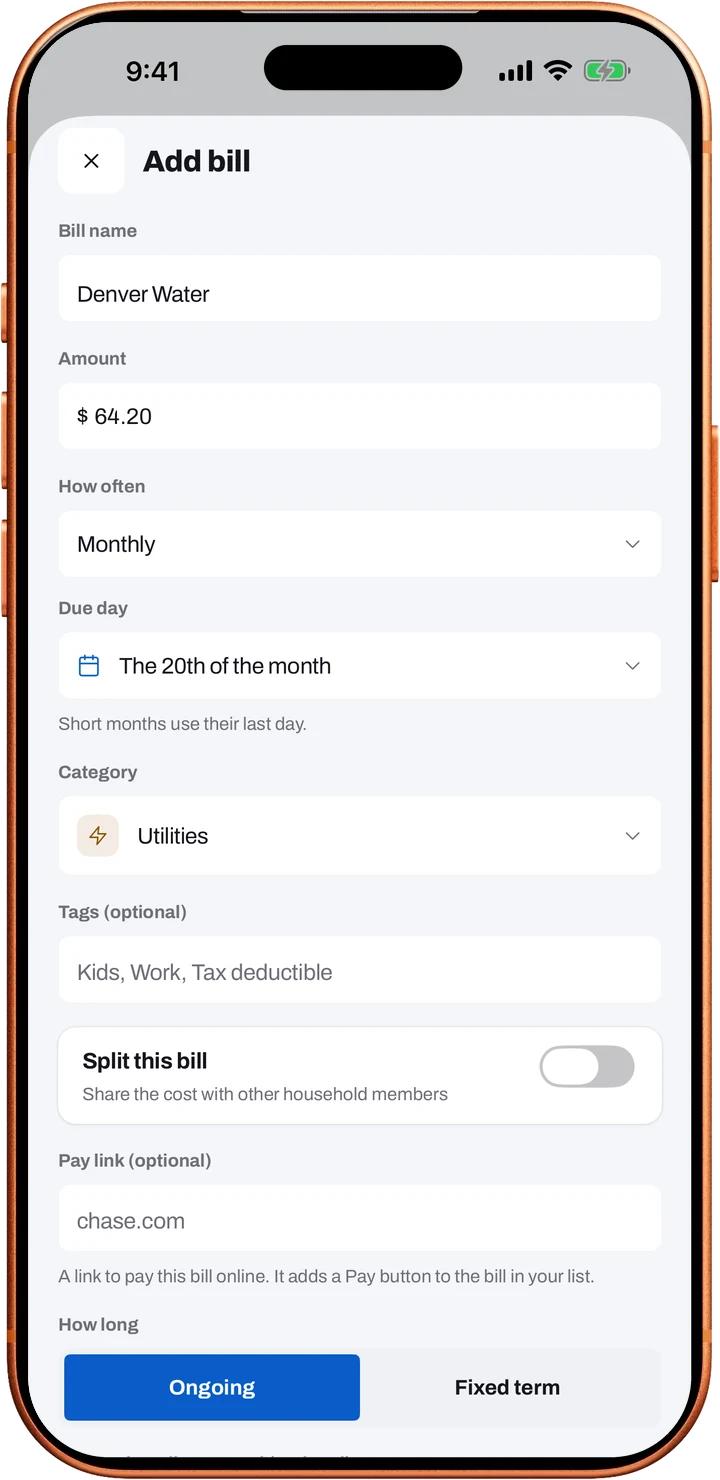
Pick whichever is quickest for each one:
- Add a bill: tap the plus button and enter the name, amount, due day and how often it repeats.
- Scan a bill: take a photo of a paper bill or choose a PDF. Loulen reads it and suggests a bill for you to check.
- Forward an email: in the Account tab, open Add bills automatically to find your Loulen address, then forward bill emails to it.
- Import a spreadsheet: fill in the template and choose Import from spreadsheet in the Account tab.
Start with the bills due soonest. You can add the yearly ones later.
-
Set up each bill properly
For a bill your biller takes automatically, turn on Autopay and Loulen marks it paid on its due date. For the rest, add the biller's payment page as the pay link so paying is one tap away. Bills that change, like electric, can use an estimate.
-
Add your payday
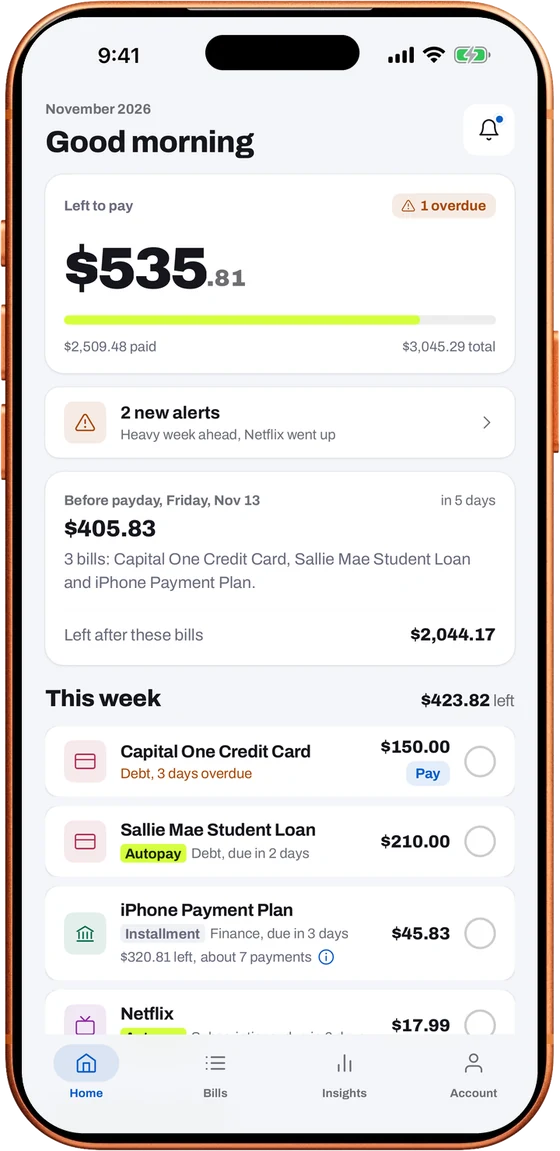
Tap Plan around payday on Home and enter when you're paid. Home then shows what's due before your next payday.
-
Add the widget
Touch and hold your Home Screen or Lock Screen, tap the plus or Customize, and choose Loulen. It shows what's left to pay and what's due next.
-
Add Apple Watch
Open the Watch app on your iPhone and install Loulen. Add the Loulen complication to your watch face to see what's left to pay at a glance.
-
Invite your household
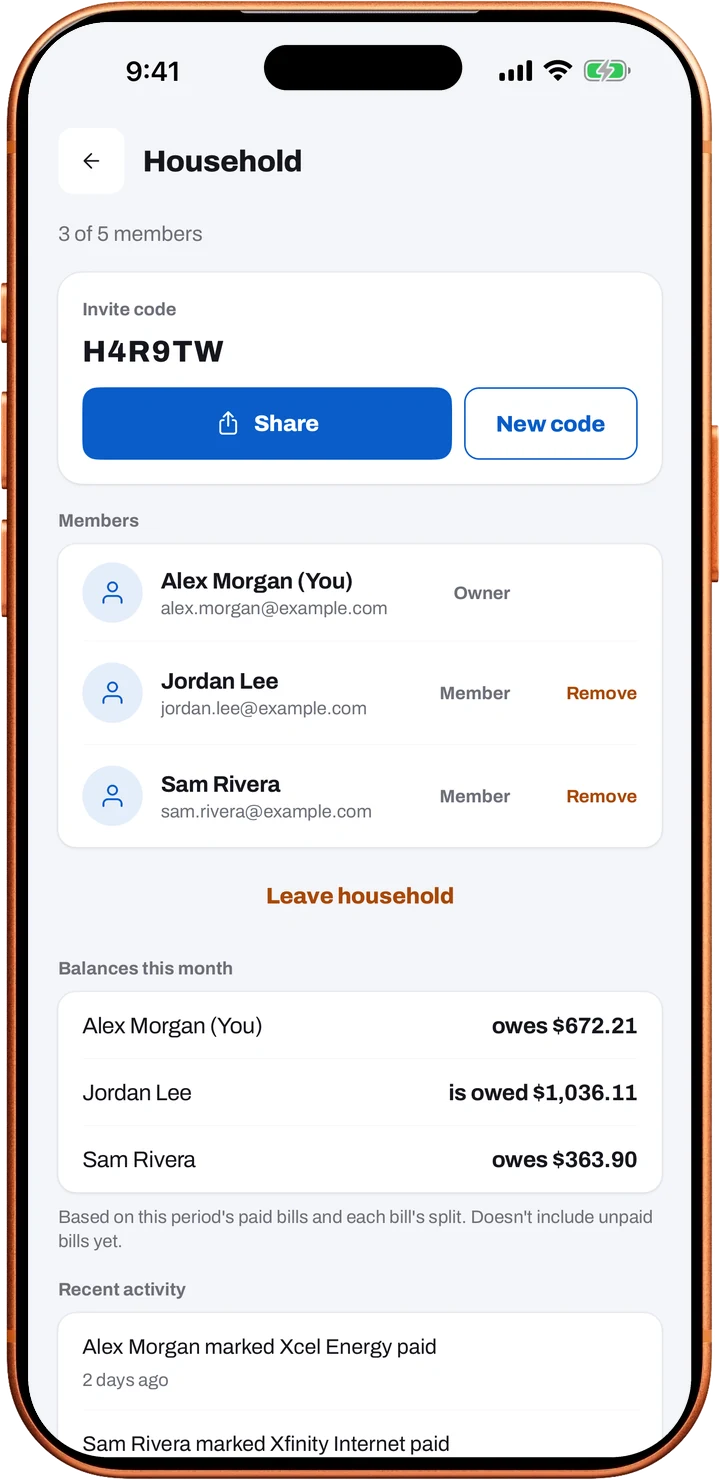
With Premium, open Household in the Account tab, tap Get invite code, and send it. Up to 5 people share the same bills and see who paid what.
-
Lock it, if you like
Turn on App lock in the Account tab to open Loulen with Face ID or your passcode.
That's it. Next, see getting the most out of Loulen.
More guides
- Looking for a Prism alternative?
- How to track bills with a partner
- A bill tracker that doesn't need your bank login
- A free bill tracker spreadsheet
- How to get your bills organized for the new year
- Tracking your bills on Apple Watch
- Bill tracker app or spreadsheet?
- Bill tracker apps compared
- Getting the most out of Loulen