Updated November 9, 2026
Every day
- Mark bills paid the moment you pay. Tap the check in the app, on your watch or on the widget. What's left to pay drops straight away, and that number is only useful if it's true.
- Glance, don't open. The Lock Screen widget and watch complication show what's left to pay without opening anything.
- Ask Siri. Say "What do I owe in Loulen" or "What's my next bill in Loulen".
When you set up a bill
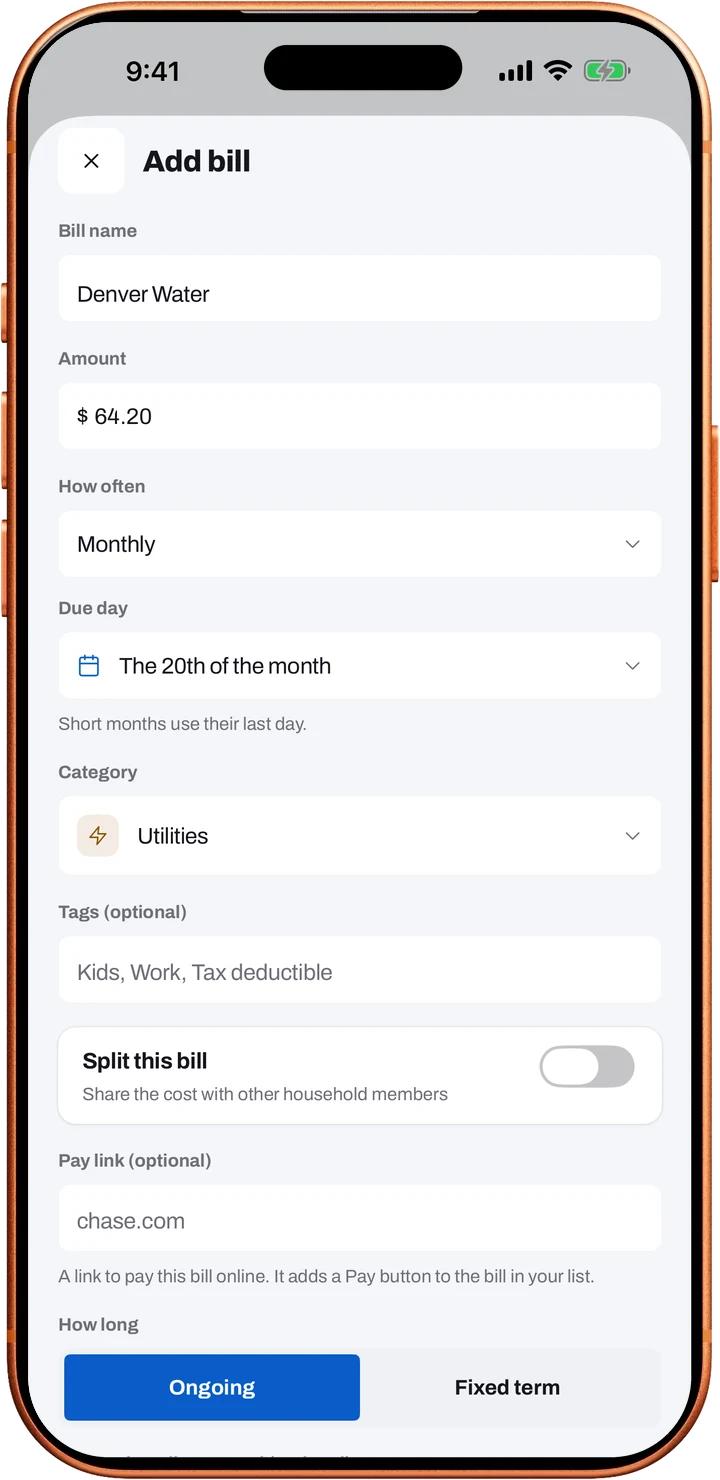
- Choose reminder days per bill. Three days suits most bills. Give rent or a big card payment a week if you need time to move money.
- Turn on Autopay for bills your biller takes automatically. Loulen marks them paid on their due date, so they still count toward your month.
- Add a pay link. Paste your biller's payment page and paying is one tap from the bill.
- Use an estimate for bills that change. Electric and water can carry a typical amount, and you enter the real one when you pay.
- Set a fixed term for loans. Enter the number of months and the total, and Loulen tracks the balance left to pay off.
- Add tags to group bills your own way, like "car" or "kids".
Each month
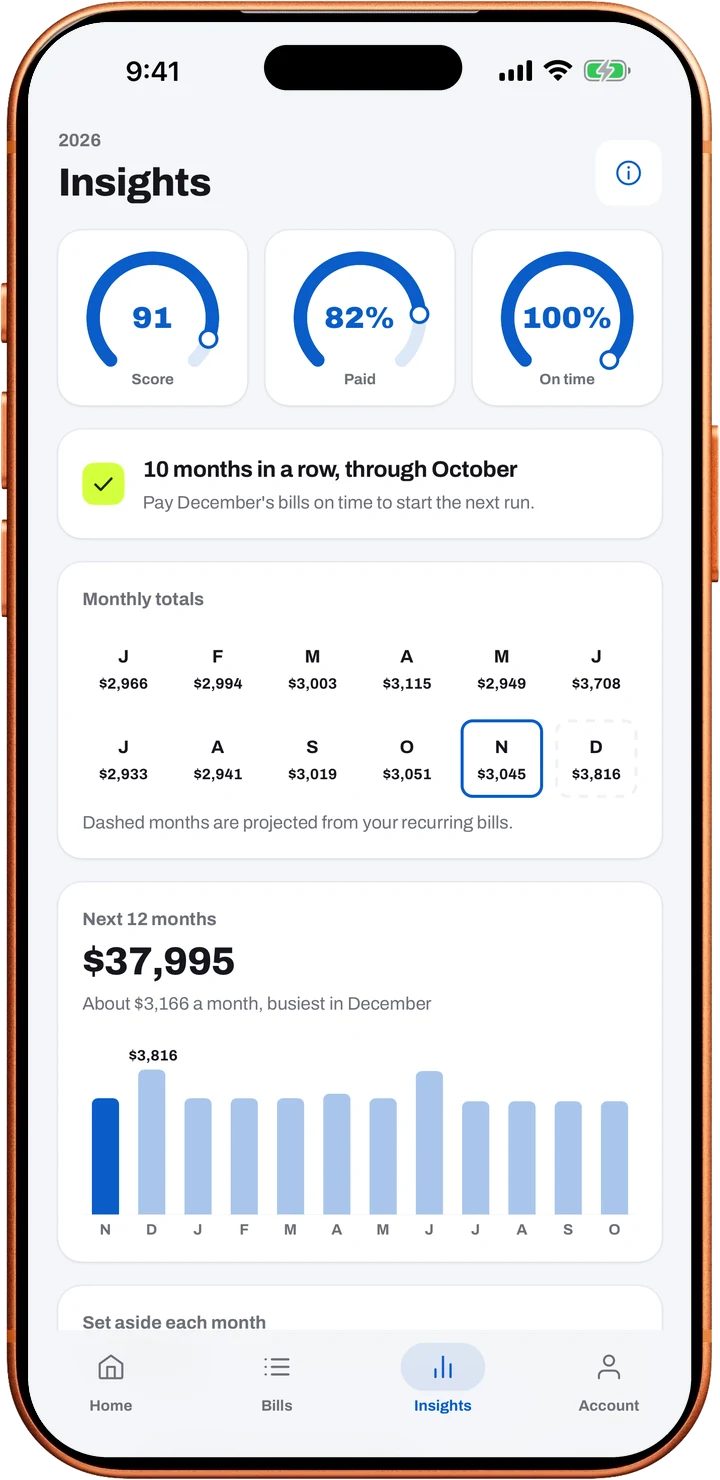
- Plan around payday. With your payday set, Home shows what's due before it, so you know what this paycheck has to cover.
- Look ahead on the calendar. The Bills tab shows every due date, and you can step back through past months to see what you paid.
- Check Insights. The 12-month forecast shows your heavy months early, and set aside shows how much to save each month for bills that come once or twice a year.
- Keep your streak. Pay every bill by its due date for a whole month and your on-time streak grows. Miss one and it simply starts again.
- Log partial payments. Pay part of a bill and the rest carries forward, so nothing gets lost.
- Save a confirmation number or a note with a payment, for the times a biller says they didn't get it.
With Premium
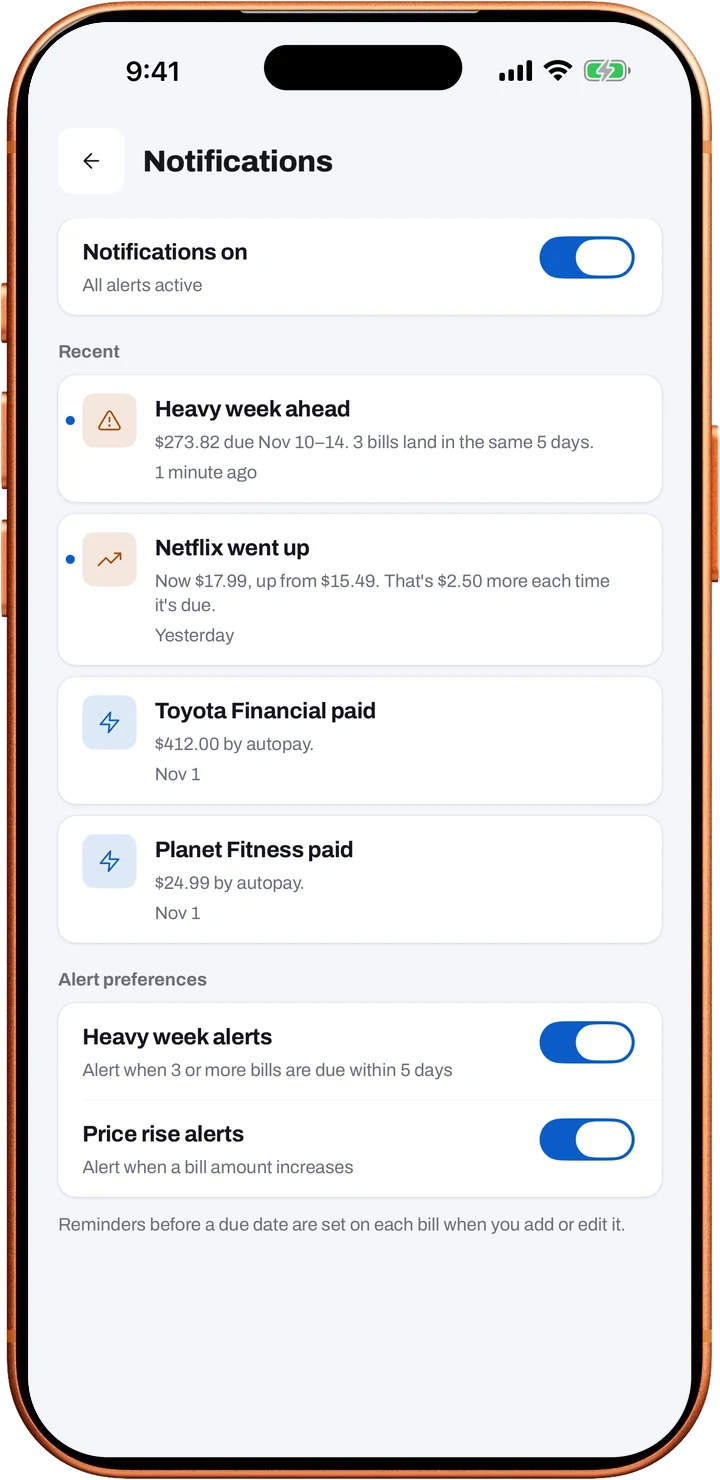
- Price rise alerts tell you when a bill goes up from what you usually pay. A good moment to call and ask why.
- Heavy week alerts warn you when 3 or more bills land within 5 days.
- Share and split. Invite up to 4 other people and split a bill by percentage, so everyone sees who paid what.
- Bill Vault keeps statements and receipts with each bill.
- Calendar sync puts every due date in your phone's calendar in one tap, and CSV export gives you your full payment history.
Free for up to 5 bills. Premium is $29.99 a year, with a 7-day free trial on the annual plan for new subscribers, or $4.99 a month. New to Loulen? Start with how to set it up.
More guides
- Looking for a Prism alternative?
- How to track bills with a partner
- A bill tracker that doesn't need your bank login
- A free bill tracker spreadsheet
- How to get your bills organized for the new year
- Tracking your bills on Apple Watch
- Bill tracker app or spreadsheet?
- Bill tracker apps compared
- How to set up Loulen