Updated November 9, 2026
Download the template
Two versions, the same columns, free to use however you like:
- Excel workbook (.xlsx): opens in Excel, Numbers and Google Sheets. Fill in the Bills tab; the Field reference tab explains each column.
- Plain CSV (.csv): for any spreadsheet app.
What goes in each column
| Column | What to put |
|---|---|
| Name | What you'd call the bill: Rent, Xcel Energy, Netflix, car loan. |
| Amount | The usual amount. For bills that change, use a recent average. |
| Category | Housing, Utilities, Subscriptions, Insurance, Debt and so on. |
| Frequency | Weekly, every 2 weeks, monthly, every 3 months, every 6 months or yearly. |
| Due day | The day of the month it's due, 1 to 31. |
| Autopay | Yes if your biller takes it automatically, otherwise No. |
The workbook also has optional columns for a payment link, loan length and total, and reminders.
How to use it each month
- At the start of the month, sort by due day so the list reads in order.
- Add a column for the month and mark each bill as you pay it.
- Add up the unpaid rows to see what's left to pay.
- Once a quarter, compare amounts with last year's to catch price rises and subscriptions you no longer use.
Where a spreadsheet falls short
A spreadsheet doesn't remind you. It only helps when you open it, and the bill that gets missed is usually the one due the week you didn't. It's also awkward to share: two people editing the same file on two phones rarely stays in sync.
Bringing it into Loulen
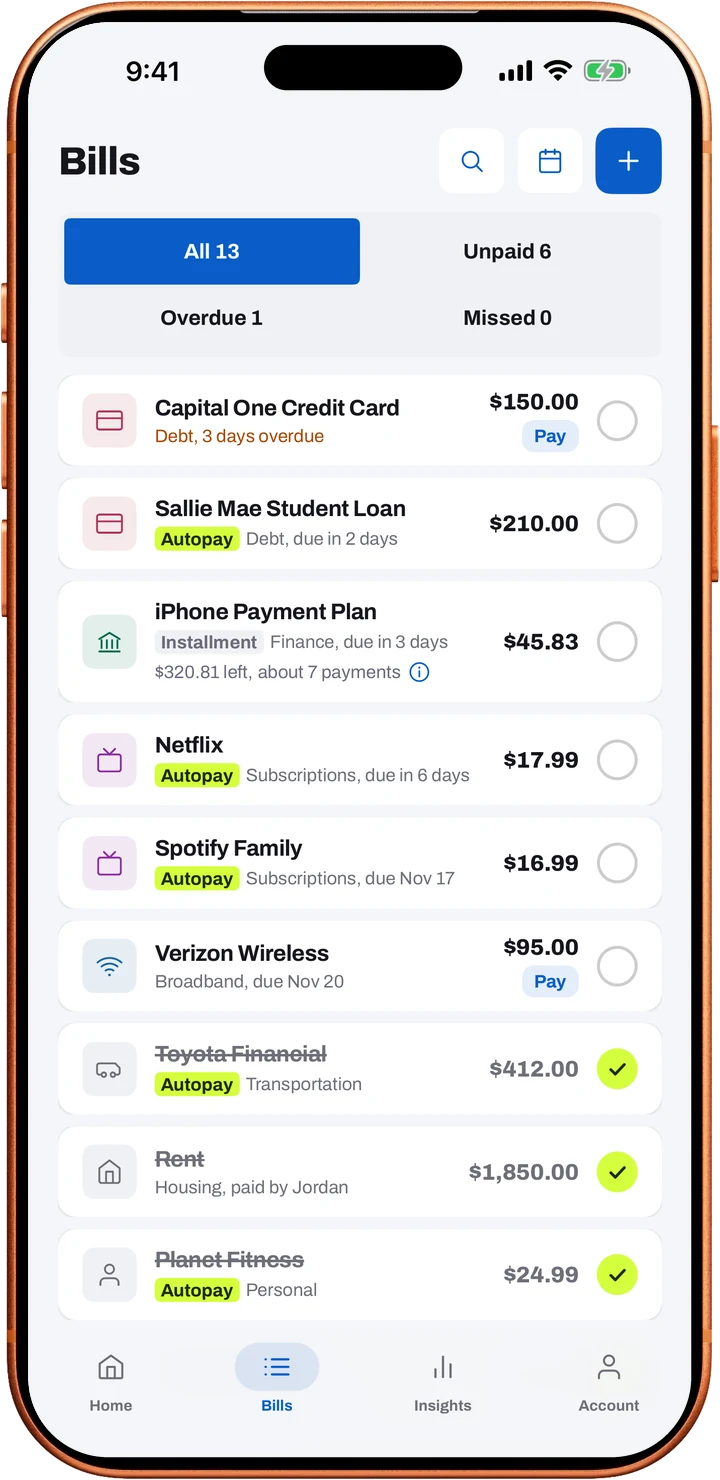
The same template imports straight into Loulen. In the Account tab, choose Import from spreadsheet and pick the file. Each row becomes a bill that repeats on its own. Put Yes in a row's Remind me column and that bill gets a reminder before it's due, or turn reminders on later for any bill. Home then shows what's left to pay as you mark bills paid, on your phone, Apple Watch or a widget. A Premium household of up to 5 people can share the list.
The free plan covers up to 5 bills, so rows are added until you reach 5 and Loulen lists the rest it couldn't add. Premium, $29.99 a year or $4.99 a month, removes the limit.
Not sure which suits you? See a bill tracker app compared with a spreadsheet.
More guides
- Looking for a Prism alternative?
- How to track bills with a partner
- A bill tracker that doesn't need your bank login
- How to get your bills organized for the new year
- Tracking your bills on Apple Watch
- Bill tracker app or spreadsheet?
- Bill tracker apps compared
- How to set up Loulen
- Getting the most out of Loulen