Updated November 9, 2026
What the Watch app does
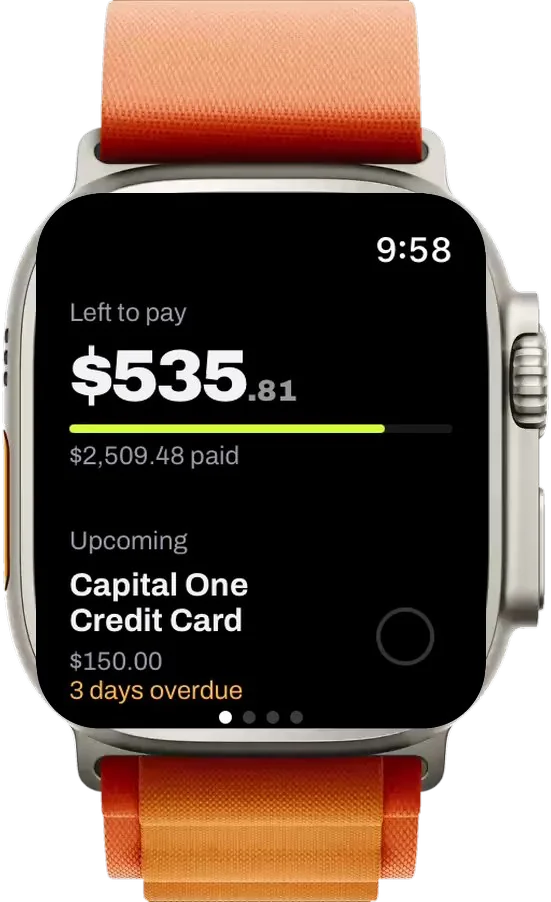
- What's left to pay. The amount still due this month, right when you open it.
- Upcoming bills. What's due next, with how many days until each one, and what's overdue.
- Mark paid. Tap the check next to a bill and it's done, the same check as in the iPhone app.
- Your month at a glance. Three gauges show your score, how much of the month is paid, and how much was paid on time.
On your watch face
Add the Loulen complication to show what's left to pay right on the watch face. Tap it to open the app.
Widgets and Siri on iPhone
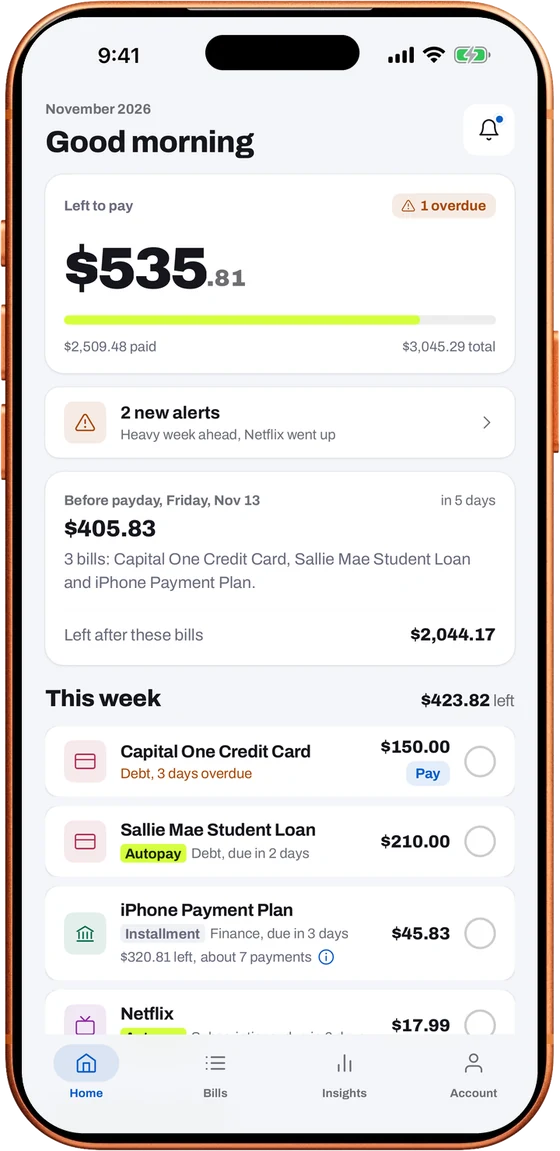
On iPhone, Loulen has Home Screen and Lock Screen widgets that show what's left to pay and what's due next, and Siri Shortcuts for checking your bills by voice.
What you need
The Watch app works alongside the Loulen app on your iPhone, which keeps it up to date. Reminders arrive as notifications on your iPhone and, like other iPhone notifications, show on your watch when your phone is locked.
What it costs
The Apple Watch app, complication and widgets are all on the free plan, which covers up to 5 bills. Premium is $29.99 a year, with a 7-day free trial on the annual plan, or $4.99 a month, for unlimited bills and a shared household.
More guides
- Looking for a Prism alternative?
- How to track bills with a partner
- A bill tracker that doesn't need your bank login
- A free bill tracker spreadsheet
- How to get your bills organized for the new year
- Bill tracker app or spreadsheet?
- Bill tracker apps compared
- How to set up Loulen
- Getting the most out of Loulen