Updated November 9, 2026
Why people don't want to link their bank
Many budgeting apps connect to your bank through a data service, which means signing in to your bank inside someone else's app. People skip that for good reasons:
- They don't want another company holding access to their accounts.
- Connections break when a bank changes its sign-in, and the app quietly stops updating.
- They want a list of bills, not every coffee and grocery run sorted into categories.
- Shared households often bank separately, so one person's account only shows half the bills.
What you give up, and what you don't
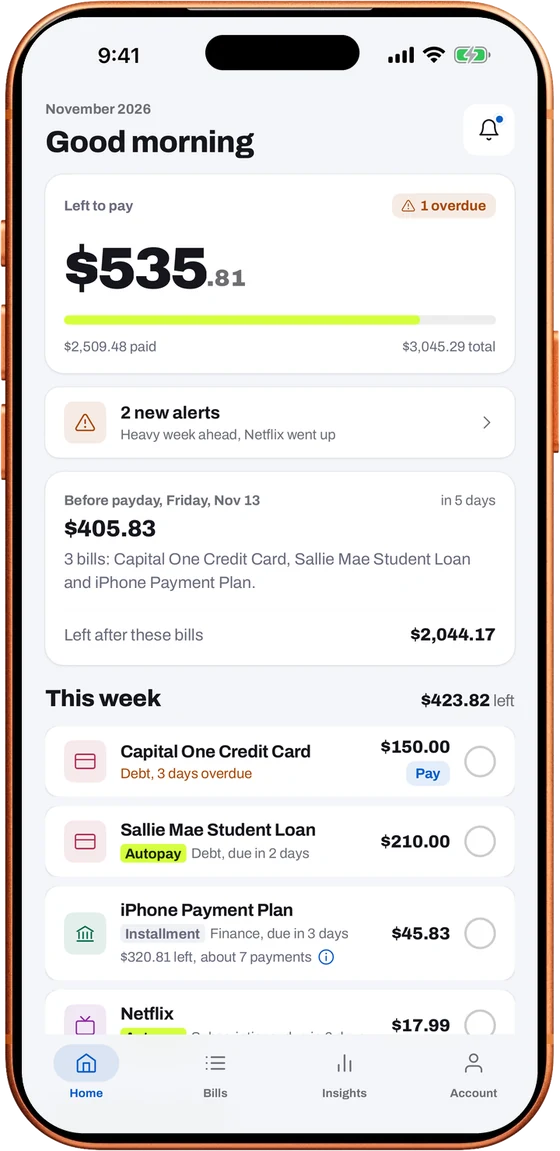
Without a bank connection, an app can't spot new bills on its own. In practice that matters less than it sounds. Most bills are the same every month: rent, the electric bill, insurance, phone, streaming, a car loan. You add each one once and it repeats on its own, weekly, every two weeks, monthly, every 3 or 6 months, yearly, or for a fixed term like a loan.
What you keep is the part that actually prevents late fees: a reminder before each bill is due, and a clear view of what's still left to pay this month.
How Loulen does it
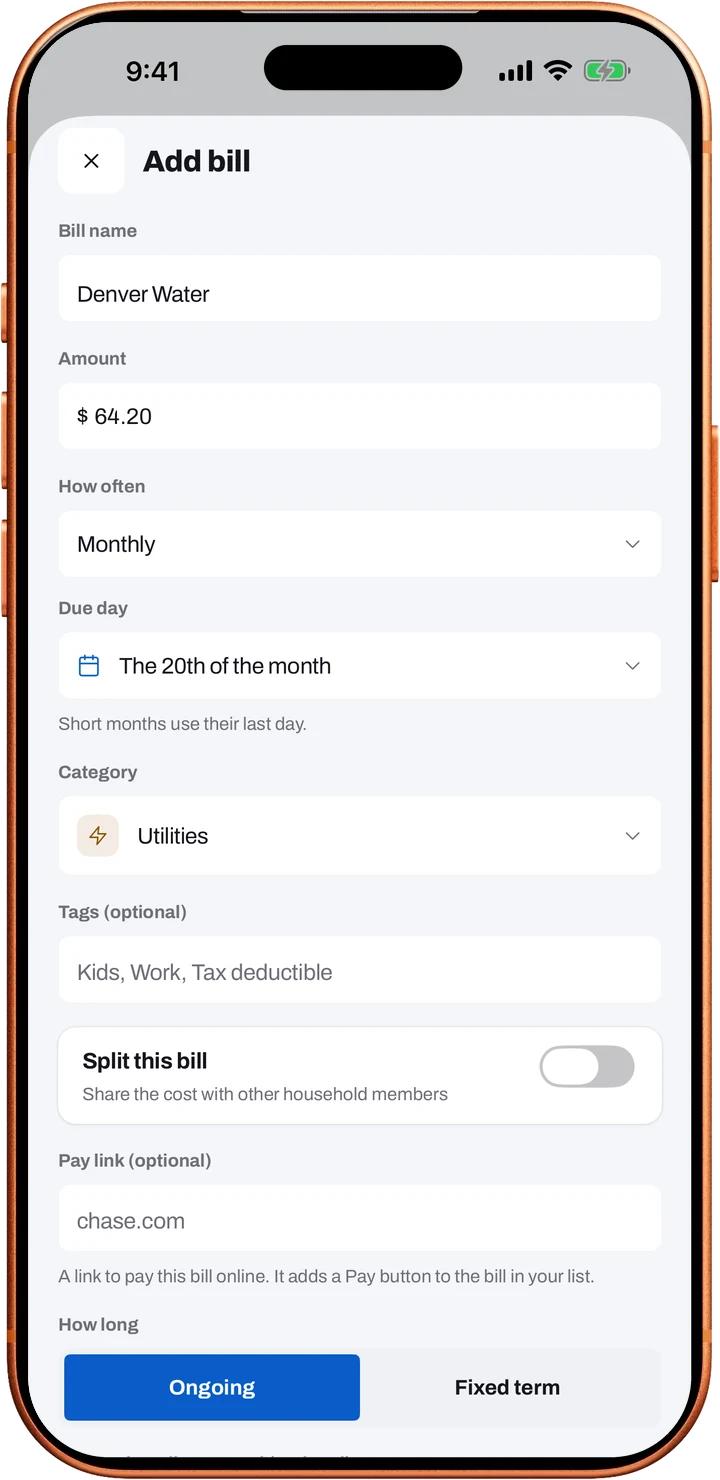
- Add a bill once. Name, amount, due day and how often it repeats. Variable bills like electric can use an estimate.
- Or let Loulen suggest it. Forward a bill's email to your Loulen address, or scan a paper bill or PDF. Loulen reads the name, amount and due date and suggests a bill, and you check it before it's added.
- Get reminded. A notification on your phone before each bill is due, as many days ahead as you choose.
- Mark it paid. One tap in the app, on your Apple Watch or from a widget. Bills already on autopay with your biller can mark themselves paid on their due day.
- See the month. Home shows what's left to pay, and the Bills tab has a calendar of every due date.
Each bill can also hold a link to the biller's own payment page, so paying is one tap away, but Loulen never moves money itself.
What Loulen stores
Your bills: their names, amounts, due dates, categories and payment history, plus your account email. Never a bank login, card number or account number. Your sign-in is stored encrypted on your phone. The details are in the privacy policy.
What it costs
Free for up to 5 bills, with reminders, the Apple Watch app, widgets and the calendar. Premium is $29.99 a year, with a 7-day free trial on the annual plan, or $4.99 a month, and adds unlimited bills, a shared household of up to 5 people, Bill Vault for statements, CSV export, calendar sync, and price rise and heavy week alerts.