Updated November 9, 2026
Side by side
| Spreadsheet | Loulen | |
|---|---|---|
| Setup | Build columns and formulas yourself, or start from a template. | Add each bill once, scan a paper bill, or import your spreadsheet. |
| Reminders | None. It only helps when you open it. | A notification before each bill is due, as many days ahead as you choose. |
| Repeating bills | Copy rows or tabs each month. | Bills repeat on their own, weekly to yearly, or for a fixed term like a loan. |
| Marking paid | Find the row and type in it, usually on a computer. | One tap on your phone, Apple Watch or a widget. |
| What's left this month | A formula you keep up to date. | Always on Home, and in the widget and complication. |
| Sharing | A shared file two people edit, which drifts out of sync. | A household of up to 5 sees the same bills and who paid what (Premium). |
| History | Whatever you kept. | Every payment saved, with a calendar of past months. |
| Flexibility | Unlimited. Any layout, any formula. | Built for bills only, not budgets or spending. |
| Cost | Free. | Free for 5 bills; Premium is $29.99 a year or $4.99 a month. |
When a spreadsheet is enough
If you have a handful of bills, most are on autopay, you sit at a computer every week and nobody else needs to see them, a spreadsheet is fine. Our free template is a good place to start.
When an app is easier
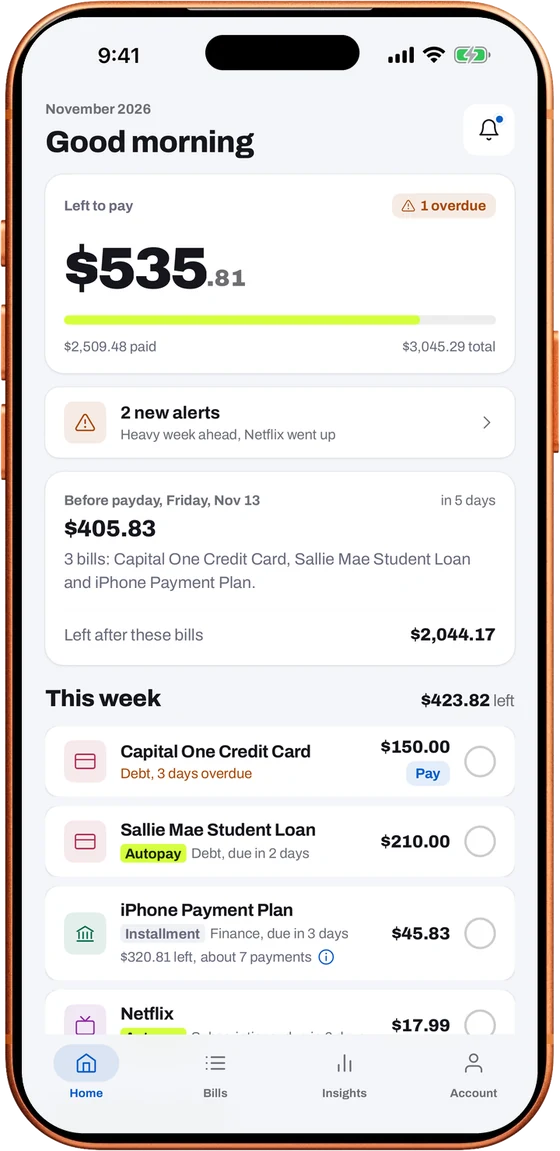
- You've paid a late fee before. The reminder is the part a spreadsheet can't do, and it's the part that saves money.
- You share bills. Partners and roommates each see the same list on their own phone, with who paid what.
- Bills don't all repeat monthly. Every-two-weeks, quarterly and yearly bills are easy to lose in a monthly sheet.
- You'd rather check your phone than open a file. Home, a widget or your watch shows what's left to pay in a second.
How long each takes
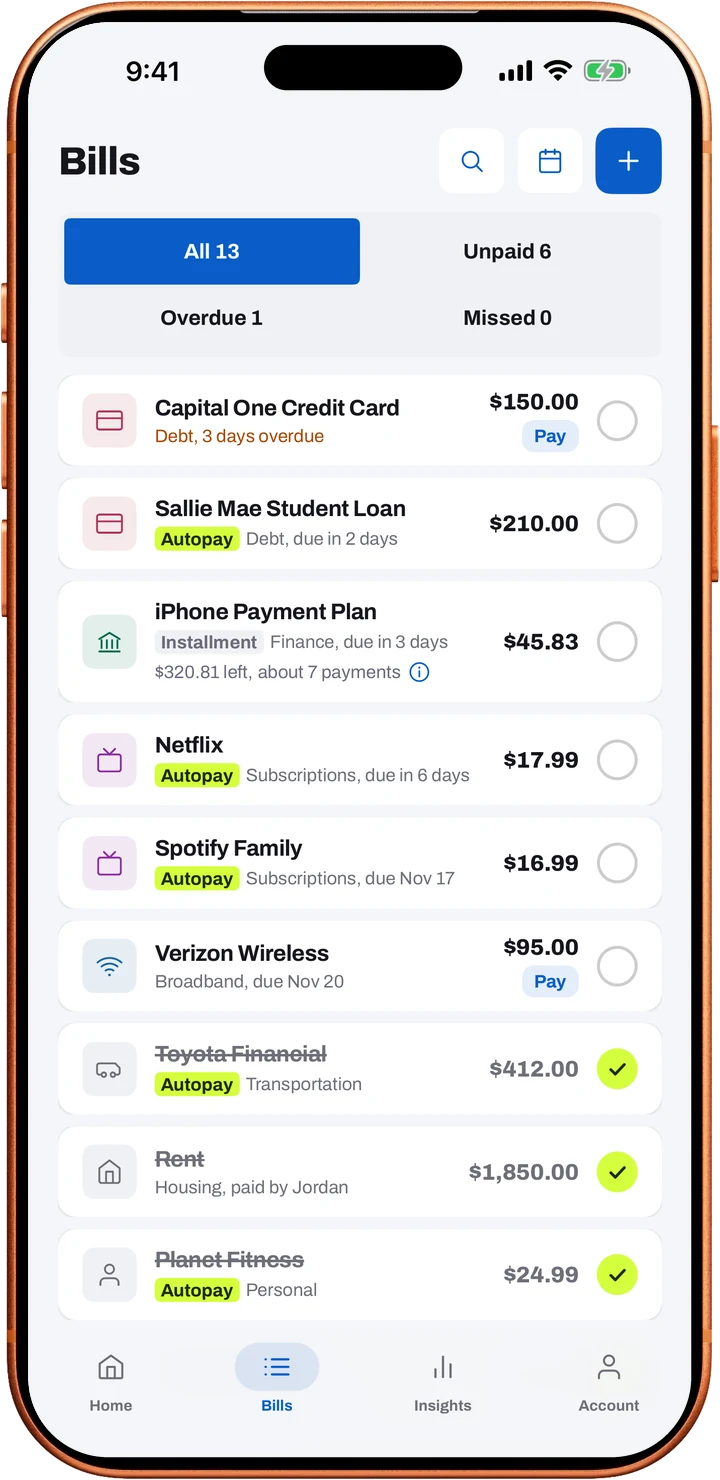
Setting up either takes about the same time, because the work is finding your bills. After that, a spreadsheet needs a sit-down each month to copy rows, update totals and check what's due. In Loulen the month resets on its own, and keeping up is a tap when you pay each bill.
You don't have to choose
Loulen imports the same template, so you can keep your spreadsheet as a record and let the app handle reminders. Rows come in as bills that repeat on their own.
Free for up to 5 bills. Premium is $29.99 a year, with a 7-day free trial on the annual plan for new subscribers, or $4.99 a month.
More guides
- Looking for a Prism alternative?
- How to track bills with a partner
- A bill tracker that doesn't need your bank login
- A free bill tracker spreadsheet
- How to get your bills organized for the new year
- Tracking your bills on Apple Watch
- Bill tracker apps compared
- How to set up Loulen
- Getting the most out of Loulen