Every bill, tracked without the spreadsheet
Loulen is the simple way to track every bill, every month. Add them once, get reminders before they're due, and mark them paid in one tap.
No spam, just a launch-day email.

Coming soon
Built for the way bills actually work
Eight habits that turn a monthly scramble into a two-minute check-in.
Loulen helps you…
Use the left and right arrow keys, Home and End to move between screens.
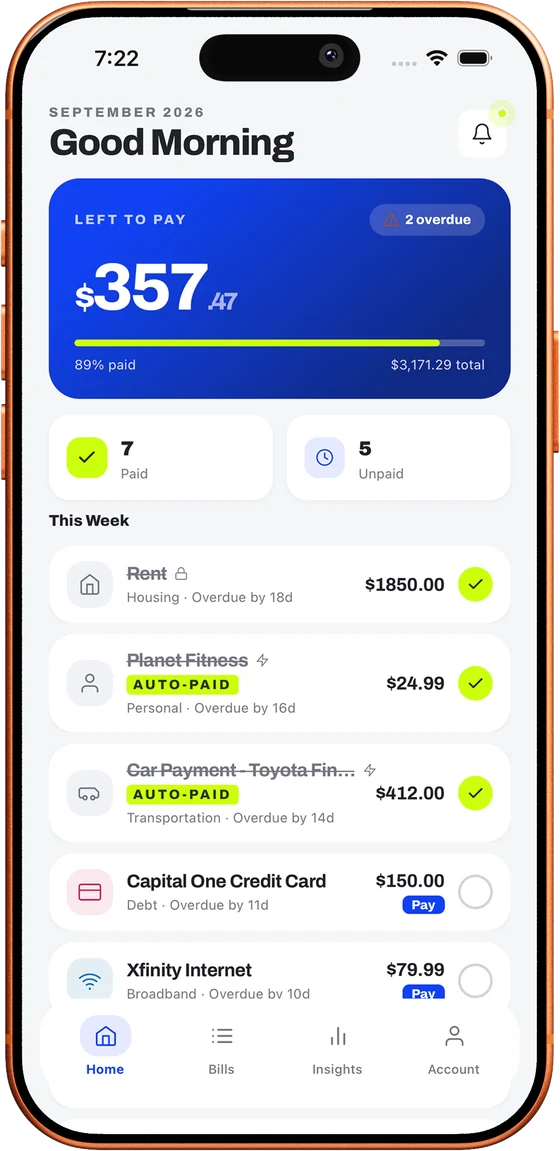
And the smaller touches
A 60-second tour to start
First time you sign in, four quick slides cover where your bills live, how reminders work, splitting them with your household, and the swipe and search shortcuts. Then you're on your own.
Bill Vault
Keep statements and receipts attached to each bill, and export your full payment history as a CSV whenever you need it.
Set it once, then leave it
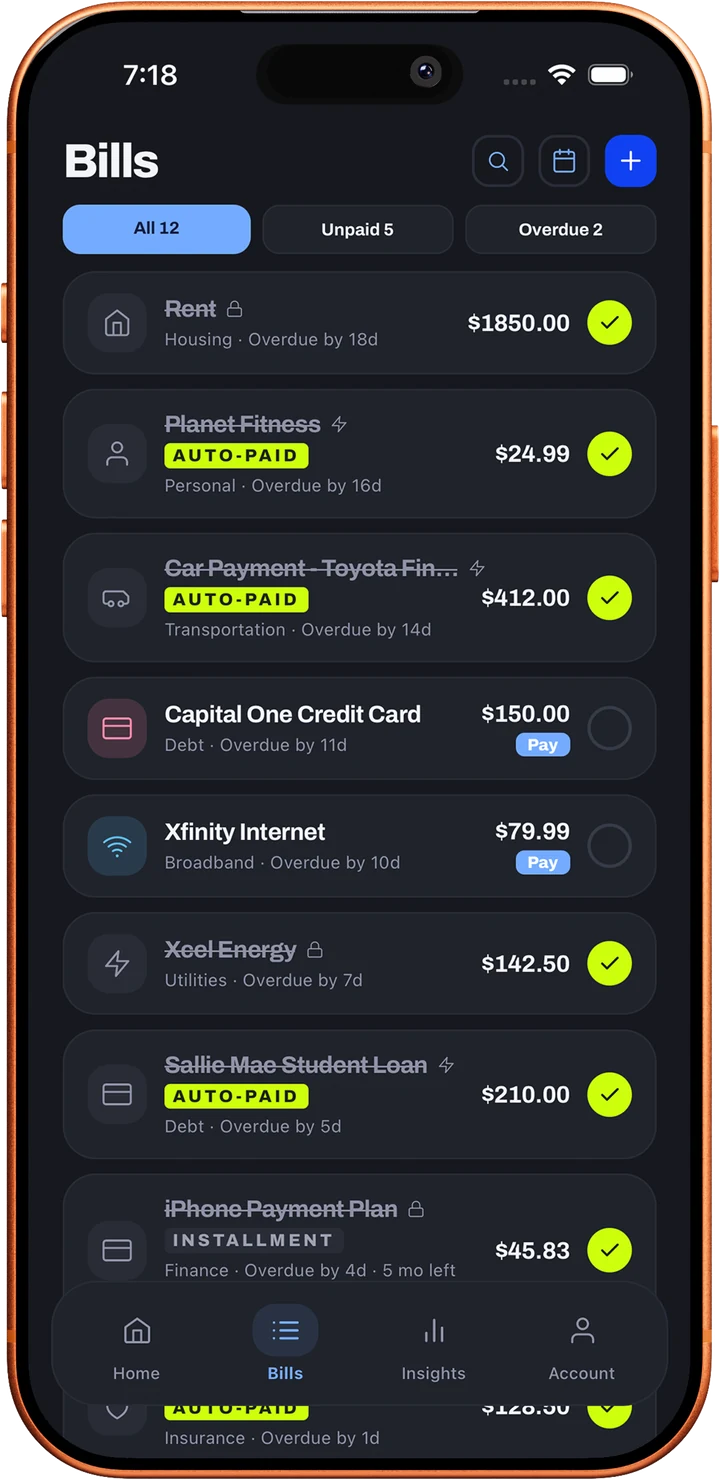
Turn on Autopay for any recurring bill and Loulen marks it paid the moment it's due. It's still logged in your payment history, and you can switch it off per bill.
Your next bill on the Lock Screen
See what's due today, name and amount, live on your Lock Screen and in the Dynamic Island. Pay it, and the card clears itself.
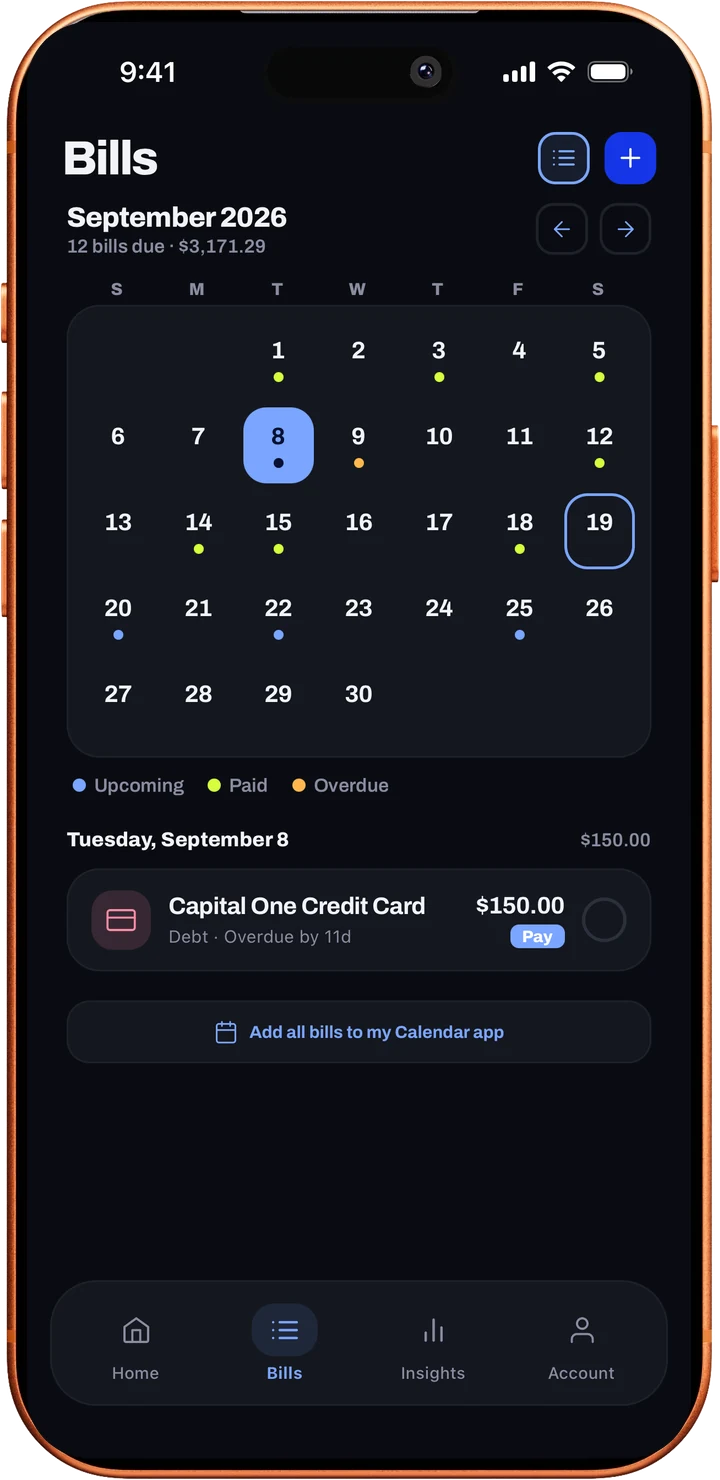
Every due date on your calendar
Add every bill to the calendar on your phone in one tap, so due dates show up right next to everything else.
Snap a photo instead of typing
Photograph a bill and Loulen reads the amount and due date for you. Just review and confirm.
Lock it with Face ID
Turn on Face ID or a passcode so your bills, and your household's, stay private, even if your phone doesn't.
Forward it instead of retyping
Forward a bill to your Loulen inbox and it shows up as a suggestion, ready to review and add.
The small stuff
Pull to refresh anywhere in the app and a haptic when you mark a bill paid, the kind of polish you only notice when it's missing.
Already tracking bills in a spreadsheet?
Download the template (an Excel workbook with a fillable Bills tab and a Field Reference tab explaining each column), then import it from the Account tab in the app.
Loulen keeps score for you
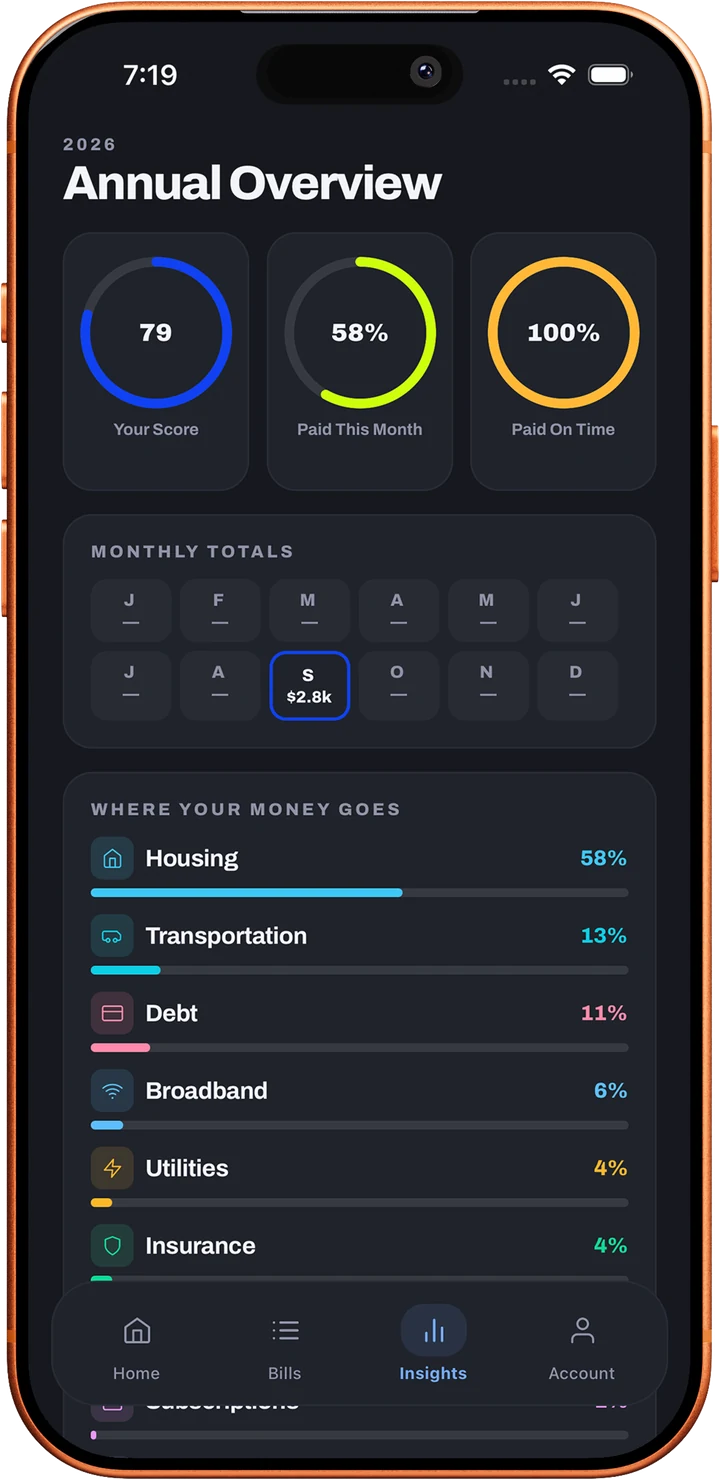
No more mental math on the 1st of the month. Loulen keeps score so you don't have to.
Household score
Bills paid this month
Paid on time
Your bills on your wrist
Check what's due, mark a bill paid, or glance at this month's balance, straight from your Apple Watch. It stays in sync through your iPhone.
From Setup to Paid
in Four Steps
Loulen front-loads the busywork so your monthly check-in takes minutes, not hours.
Add your bills
Rent, utilities, subscriptions: enter each one once with its amount and due date.
Get reminded
Loulen resets your checklist every month and flags anything due soon.
Mark them paid
Use a Quick-Pay link to pay on your biller's site, then mark it paid in Loulen.
Build your streak
Watch your Bill-Free Streak and household score grow month over month.
Start free, upgrade when you're ready
Free covers the basics for good. Premium is billed through Apple or Google, and you can cancel anytime.
Free
$0 forever
Everything you need to stop tracking bills in your head.
- Up to 5 bills with due-date reminders
- Monthly auto-reset checklist
- Quick-Pay link on every bill
- Payment streaks and household score
- Apple Watch app, widgets and calendar view
Premium
$29.99 a year, $2.50 a month
For households who want the full picture. New subscribers get a 7-day free trial on the annual plan. Or $4.99 billed monthly.
- Unlimited bills
- Shared accounts, up to 5 members
- Bill Vault document storage
- CSV export of your full payment history
- Price Creep & Cash Crunch alerts
- Add every bill to your phone's calendar in one tap
Questions and answers
Everything about how Loulen works. Can't find yours? Ask us directly.
Getting started
What is Loulen?
Loulen is a bill tracker for you or your whole household. Add each bill once, get reminded before it's due, mark it paid in one tap, and see your month at a glance on your phone, your Apple Watch, or a Home Screen or Lock Screen widget.
Do I have to connect my bank account?
No. Loulen never asks for your bank login. You add bills yourself, or let Loulen suggest them from a bill you forward by email or a photo of a paper bill. You review every suggestion before anything is added.
How do I add my bills?
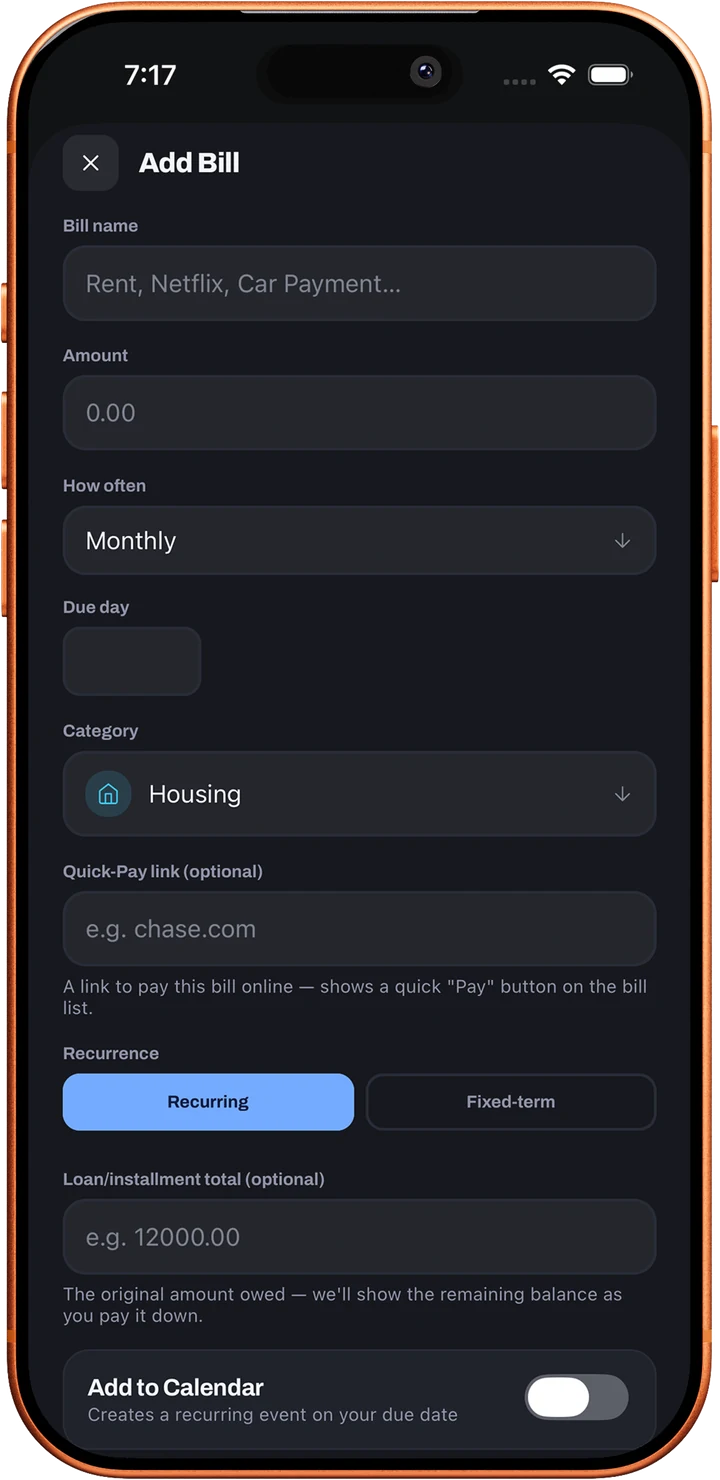
Tap the plus button, then enter the name, amount, due day and category. Bills can repeat weekly, every two weeks, monthly or quarterly, or run for a fixed term like a loan. Already have a list? Import it from a spreadsheet in the Account tab.
Can Loulen pay my bills for me?
No, and it never touches your money. Each bill can hold a Quick-Pay link that opens your biller's own website or app, so you pay there and come back to mark it paid. If a bill is already on autopay with your biller, turn on Autopay in Loulen and it marks the bill paid on its due date.
Reminders and tracking
How do reminders work?
Each bill gets its own reminder, delivered as a notification on your phone before the due date. You choose how many days ahead. Reminders are scheduled on your device, so they arrive even when you're offline.
What happens at the start of a new month?
Your checklist resets on its own, so every recurring bill is unpaid again and ready to check off. Your payment history stays saved, so you can look back at any month.
Can I see my bills on a calendar?
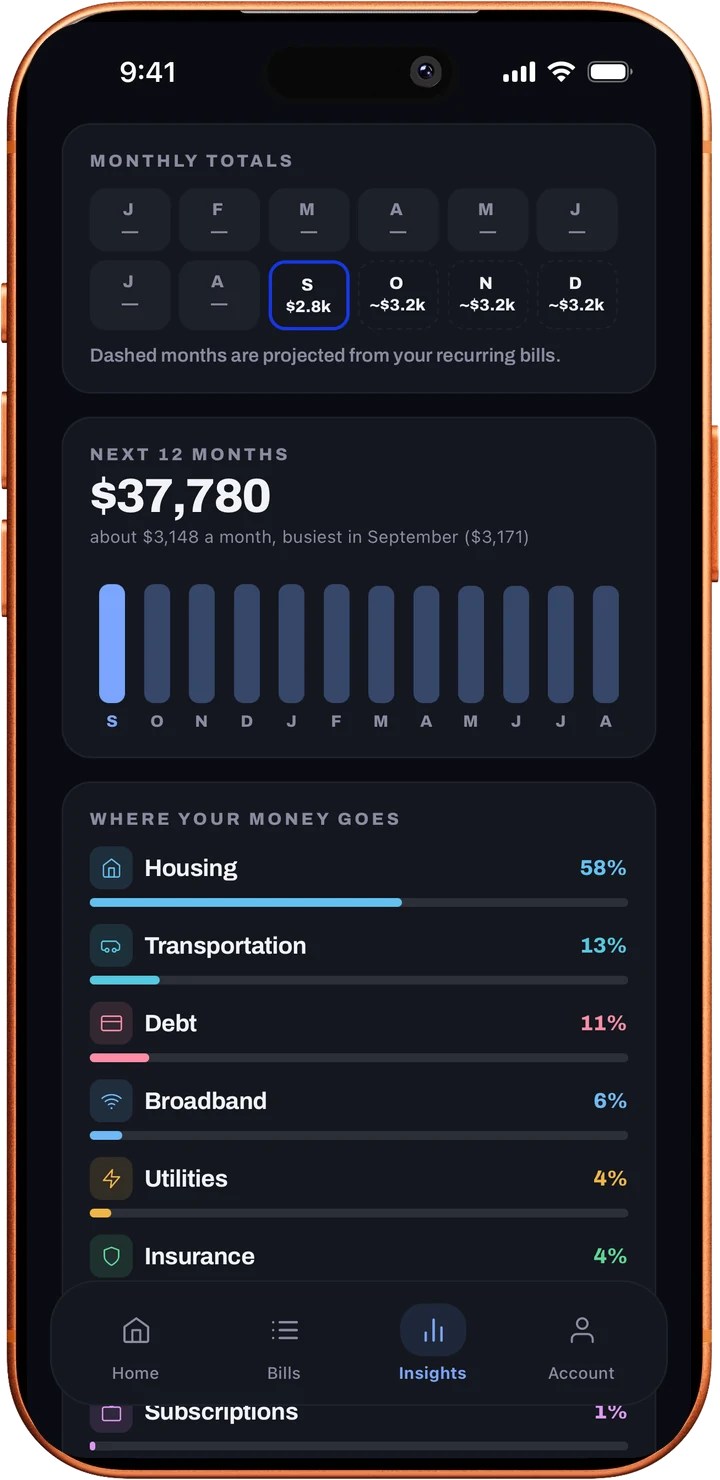
Yes. The Bills tab has a calendar view with every due date, colored by paid, upcoming or overdue. Tap a day to see its bills, and step back through earlier months to see what you paid. Insights adds a 12-month forecast built from your recurring bills.
Can I track partial payments or loans?
Yes. If you pay part of a bill, the remainder carries forward. For loans and installment plans, set a fixed term and Loulen tracks the balance left to pay off as you go.
What are Price Creep and Cash Crunch alerts?
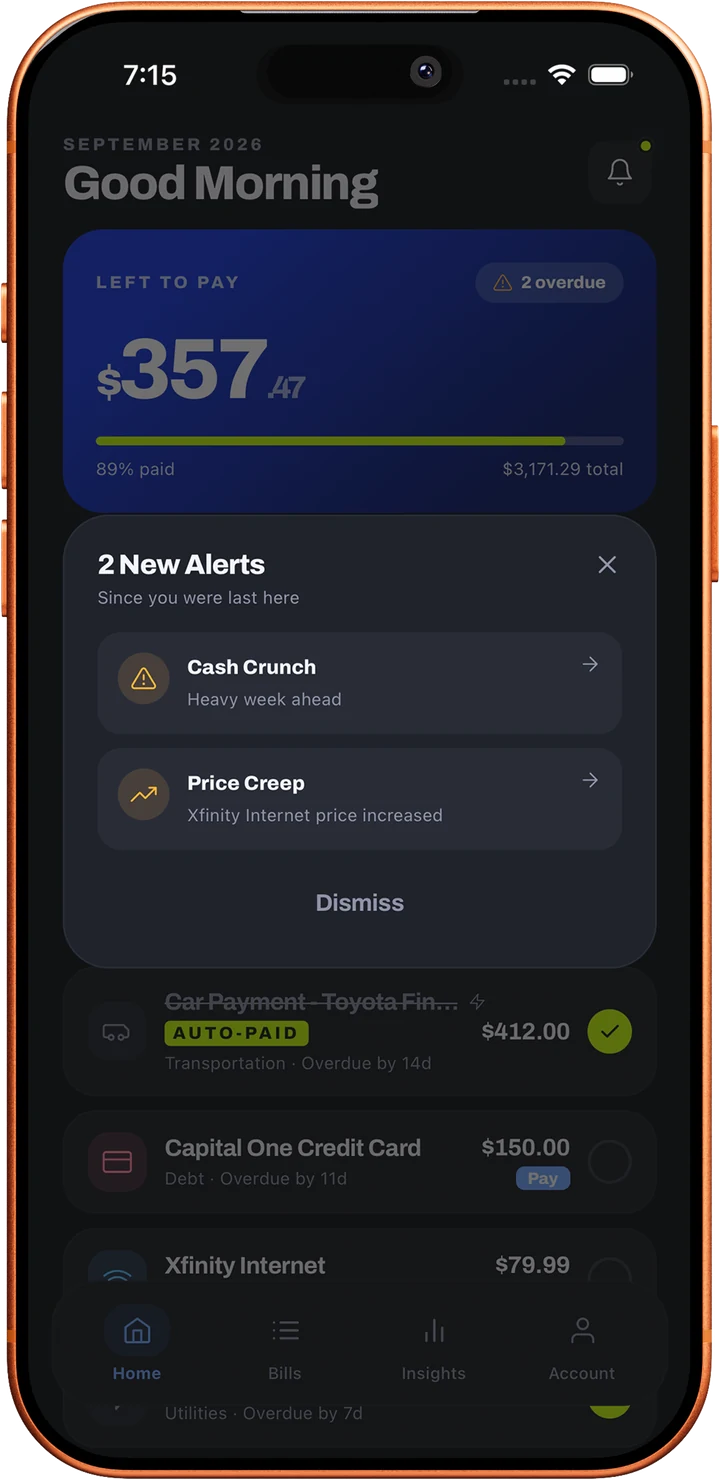
They're Premium alerts. Price Creep tells you when a bill's amount goes up from what you usually pay. Cash Crunch warns you when three or more bills land within a five-day window, so a heavy week never sneaks up on you.
Households
Can I share bills with a partner or roommates?
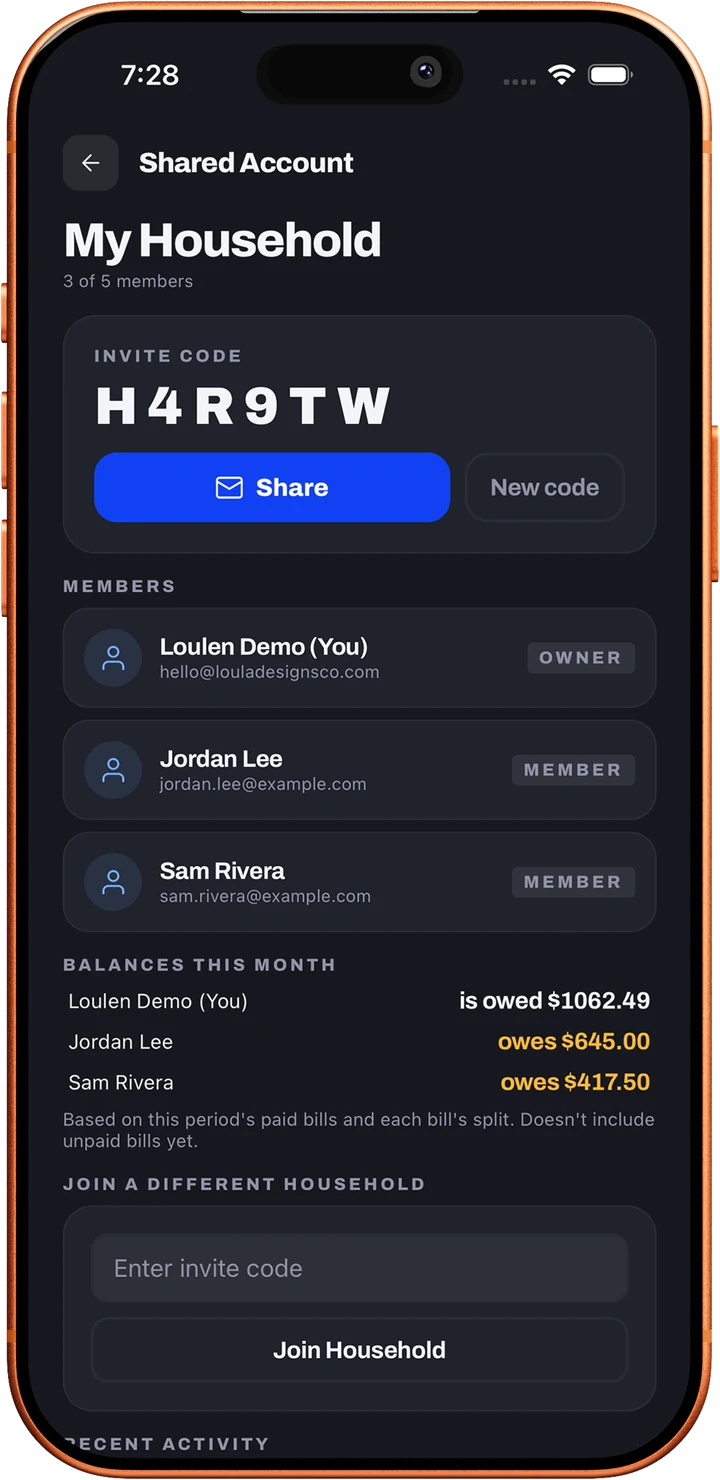
Yes. Create a household and invite people with a short invite code. Everyone sees the same bills and who paid what, and you can split a bill by percentage. Free accounts include just you. Premium households can have up to 5 members.
What can other household members see?
Members can see the bills and payments added to the household. Your login and personal account details aren't shared. There's more detail in our Privacy Policy.
Your phone and watch
Is there an Apple Watch app?
Yes. See what's left to pay this month, check upcoming bills, and tap the check to mark one paid right from your wrist. Progress rings and a watch face complication keep your month in view. Loulen also has Home Screen and Lock Screen widgets and Siri Shortcuts.
Can I lock the app?
Yes. Turn on Face ID or your passcode in the Account tab to keep your bills private.
Does Loulen have a dark mode?
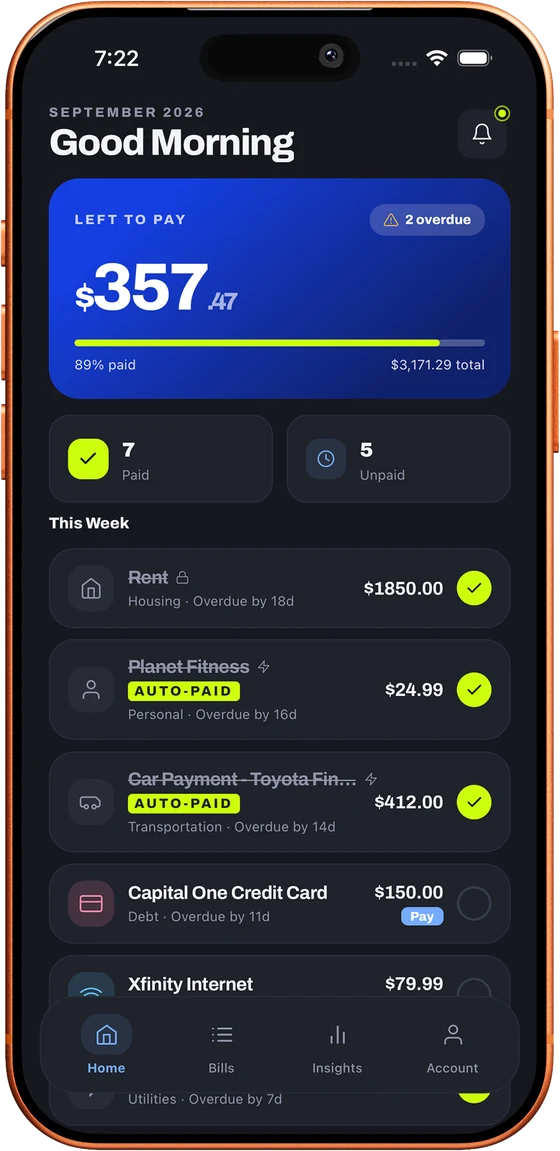
Yes, Loulen has both light and dark modes.
Where can I download it?
Loulen is launching on the App Store and Google Play. Join the waitlist and we'll email you on release day.
Does Loulen work on the web and on all my devices?
Yes. Loulen works on iPhone, iPad, Apple Watch and in any browser at app.getloulen.com, and your bills stay in sync everywhere you sign in. On the web, sign in with your email and password. Buying Premium, reminders and widgets stay on your phone.
Pricing and privacy
Is Loulen free?
Yes. The free plan covers tracking up to 5 bills with reminders, autopay, widgets, the Apple Watch app, the calendar view and more. Premium is $29.99 a year (about $2.50 a month), with a 7-day free trial for new subscribers on the annual plan, or $4.99 billed monthly, and unlocks unlimited bills, household sharing for up to 5 people, document storage in Bill Vault, CSV export, one-tap calendar sync, and Price Creep and Cash Crunch alerts. See Pricing for the full comparison.
How do I cancel Premium?
Premium is billed through Apple or Google, so you manage or cancel it in your App Store or Google Play subscription settings. You keep Premium until the end of the period you've paid for.
Can I gift Premium to someone?
Yes. Buy a Gift Premium pass for 1, 3 or 12 months from the Account tab and share the code it gives you. The person you send it to redeems it in their own app, no account details needed up front.
Why do I see an empty account after signing in with Apple?
If you chose Hide My Email when you signed in with Apple, Apple gives Loulen a private address that doesn't match the email you signed up with, so Loulen creates a separate, empty account. Sign out and sign in the way you first signed up, using your email and password or Sign in with Apple with Share My Email, and your bills will be there. Still stuck? Email hello@getloulen.com.
Do you sell my data?
No. We don't sell your personal information and we don't use your bill data for advertising. The details are in our Privacy Policy.
How do I reach a real person?
Email hello@getloulen.com or use the contact form. Loulen is built by one person, and every message is read personally.
Get an email when Loulen launches
Get a release-day email, plus the occasional update while we build.
No spam, just a launch-day email.
Coming soon
Questions before launch?
Whether it's a feature request, a partnership idea, or just a hello. We read every message.
hello@getloulen.com
Support
Usually replies within a day